Apple announced iOS 18 in it WWDC 2024 event on June 10, but don’t forget to check out all the new features the tech giant has included in iOS 17.4. That update to the iPhone operating system was released on March 5 and brought big changes for people in the European Union, new emoji and important bug fixes.

Here’s what iOS 17.4 brought to your iPhone.
Read more: Why Apple’s WWDC Keynote Changed My Mind About iOS 18
Download other EU app stores
Apple introduced a significant change to Safari, the App Store, and iOS with iOS 17.4, but only for people in Europe. With iOS 17.4, people in the EU can download an alternative app store and apps from outside the App Store. As CNET’s Katie Collins reports, this marks one of the biggest changes to the App Store since its launch in 2008. People in the EU will also be given new default app controls, giving them more ways to to personalize their iPhone experience.
People in the EU have access to other app stores and more now.
Apple made these changes, announced in January, in compliance with the EU’s Digital Markets Act.
Read more: Apple will allow rival app stores to be installed on iPhones in Europe
More options for in-app payments
Apple introduced more ways to make in-app payments with iOS 17.4. If you go to Settings > Privacy & Securityyou will see an option named Contactless and NFC, or field communication. If you tap the new option, you’ll be taken to a mostly blank page that has a small disclaimer saying that the page will show apps that have requested the ability to use contactless and NFC payments in the future. Apple announced these options alongside the changes for people in the EU, and there’s no word on whether this will be used by apps outside of that region.
At least 100 new emojis
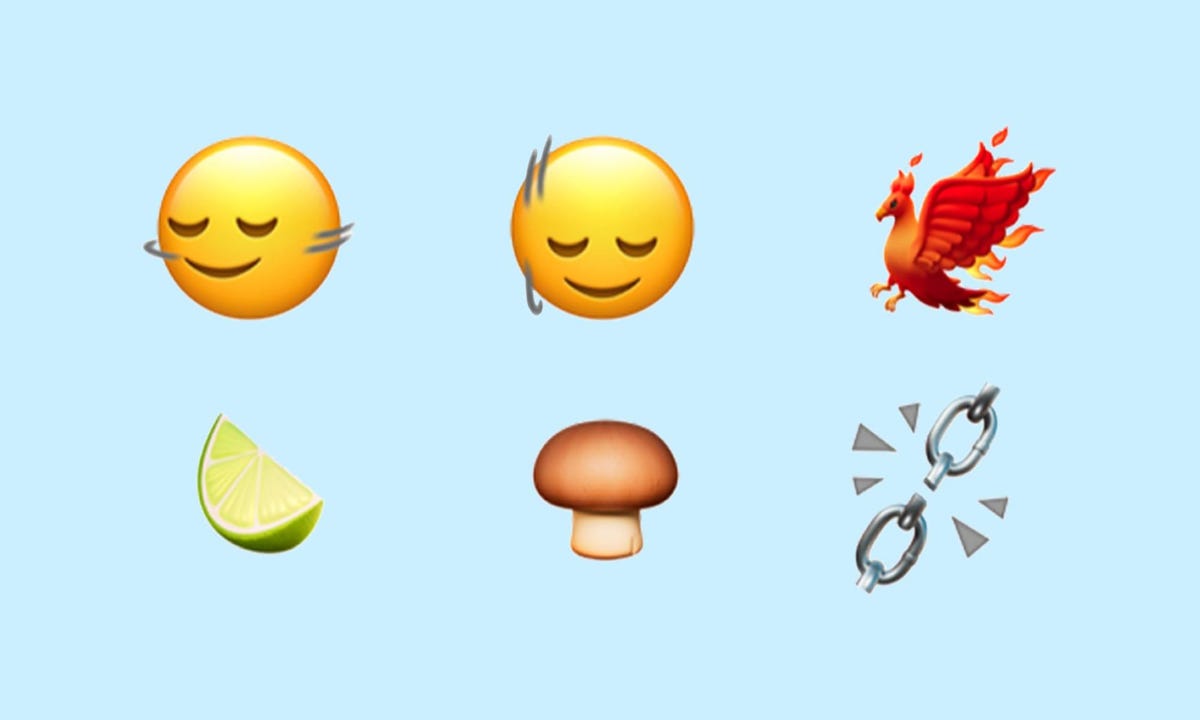
Some of the new emoji in iOS 17.4 include a phoenix, a lime wedge, and broken chains.
Apple introduced over 100 new emojis to iPhone users with iOS 17.4. These emoji include heads bobbing up and down or left and right, a phoenix and a lime wedge. These emoji were announced in 2023 and some Android devices, including the latest Samsung phones, already have them.
Improved iMessage security against future threats
With iOS 17.4, your iMessage conversations get a security boost to protect them from cyberattacks involving quantum computing. According to CNET’s David LumbApple said it hasn’t seen these types of cyberattacks yet, but the company wants to get ahead of the potential threat now.
Read more: Apple’s upcoming iOS update protects iMessage from future quantum computing attacks
Podcasts can now display transcripts

You can now read a transcript of your favorite podcasts with iOS 17.4.
In iOS 17.4, you can read the transcripts of your favorite podcasts while you listen to them. To view transcripts, go to the Podcasts app and start listening to a show, then tap the media player at the bottom of your screen. There is a new button in the lower left corner of the screen that looks like a speech bubble with quotation marks inside it. Tap this button and you’ll see the transcript of the show you’re listening to.
You can also search within the transcript, so if someone mentions a book or movie title and you only remember part of it, you can search for the part you know and find the entire title.
Read more: What you need to know about podcast transcripts in iOS 17.4
Virtual card numbers come to Apple Cash
Yours Apple Cash gets an upgrade with iOS 17.4, too. Now you can watch virtual card numbers for your Apple Cash which allows you to shop in online stores that do not accept Apple Pay. This card comes with its own number, expiration date and three-digit security code, just like a physical card. You can also easily request a new card number if you think your card has been compromised.
Read more: How to view Apple Cash virtual card numbers
Another digital clock widget
In iOS 17.4, Apple introduced a new digital clock app widget called City Digital. This widget shows the time as well as a specific location relative to wherever your iPhone is at the moment. This can be useful if you are traveling or live far away from family and friends but want to keep in touch without waking them up in the middle of the night.
Apple introduced the digital clock widget to the iPhone with the release of the iOS 17.2.
More options to protect your stolen device
Stolen device protection now lets you always request a security delay, or only when you’re away from locations like your home.
Apple introduced several new options in Stolen Device Protection with iOS 17.4. New options let you choose whether you want to always request a 1-hour security delay to access certain settings or make changes, or only request the delay when you’re away from a known location like your home.
Apple introduced Stolen Device Protection with iOS 17.3 with the goal of protecting some of your data if your device is stolen or falls into the wrong hands. The feature doesn’t protect all of your data, but Apple still recommends that everyone turn it on.
Read more: How to give your iPhone’s stolen device protection a boost
New battery health readout for iPhone 15 models
With iOS 17.4, iPhone 15 models get a new one Battery health Read. If you go to Settings > Battery, you’ll see a new option that tells you the health status of your battery in one word, like Normal or Service. You can also tap this option for more details about your battery, such as its cycle count and maximum capacity. Previously, your iPhone would show a percentage related to the health of your battery with no indication of what it meant.
Read more: New iOS 17.4 tool shows if iPhone 15 battery health is normal
New Home button in Music and Books apps
Apple introduced a Home button to the Apple Music and Books app with iOS 17.4. If you open one of the apps and look at the bottom of your screen, the Home button is in the left corner. This button replaced Listen Now in Apple Music and Read Now in Books.
If you’re an Apple Music subscriber and tap the button, you’ll be taken to a page that shows you menus like “Recently Played” and recommendations based on the artists you’ve listened to. If you tap this button in the Books app, you’ll see menus like Current Bestsellers and Start Reading for Free.
Previous iOS updates brought Home buttons to the Podcasts and Apple TV apps, so this change is likely Apple trying to enforce some uniformity across its apps.
Siri can read messages in multiple languages
In iOS 17.4, Apple gave Siri the ability to read messages in multiple languages. Once activated, Siri can read messages in languages such as Spanish, dialects of Mandarin, and Thai. Apple writes that this will not change the primary language that Siri hears and responds to.
Read more: How to enable Siri to read messages in more languages
New Apple CarPlay and Maps experience in select vehicles

Some vehicles supported by Apple CarPlay will feature a new Maps instrument cluster with iOS 17.4.
With iOS 17.4, if you use Apple CarPlay with Maps in certain supported vehicles, you’ll see a new instrument cluster.
“With CarPlay-supported vehicles, Apple Maps will introduce a new instrument cluster experience with information about upcoming maneuvers,” Apple wrote online. “Users will be able to swap the desired display type between the main screen and the instrument cluster by pressing the map configuration button at the top right of the main Maps screen.”
Apple did not say which vehicles support the new feature, and the company did not respond to a request for comment.
Here are the full release notes for iOS 17.4.
Emoji
New mushroom, phoenix, lime, broken chain and shaking head emojis are now available in the emoji keyboard.
18 personas and body emojis add the option to face them in any direction.
Apple Podcasts
Transcripts allow you to follow an episode with text highlighted in sync with the audio in English, Spanish, French and German.
Episode text can be read in full, searched for a word or phrase, tapped to play from a specific point, and used with accessibility features such as Text Size, Contrast Enhancement, and VoiceOver.
This update includes the following improvements and bug fixes:
Music Recognition lets you add songs you’ve identified to your Apple Music playlists and library, as well as Apple Music Classic.
Siri has a new option to announce messages you receive in any supported language.
Stolen device protection supports the option for enhanced security in all locations.
Battery Health in Settings shows the battery cycle number, date of manufacture, and first use on iPhone 15 and iPhone 15 Pro models.
Caller ID displays Apple-verified business name, logo, and department name when available.
Business updates in Messages for Business provide reliable information about order status, flight notifications, fraud alerts or other transactions you choose.
Apple Cash virtual card numbers let you pay with Apple Cash at merchants that don’t yet accept Apple Pay by typing your number from Wallet or using Safari AutoFill.
Fixes an issue where contact pictures are blank in Find My.
Fixes an issue for dual SIM users where the phone number changes from primary to secondary and is visible to a group they have messaged.
Some features may not be available in all regions or on all Apple devices. For information on the security content of Apple software updates, please visit this website:
https://support.apple.com/kb/HT201222
For more on Apple, you can check out everything the company announced at WWDC 2024 and all the features coming to iOS 18. You can also check out how to download the iOS 18 developer beta and why you might want to wait.
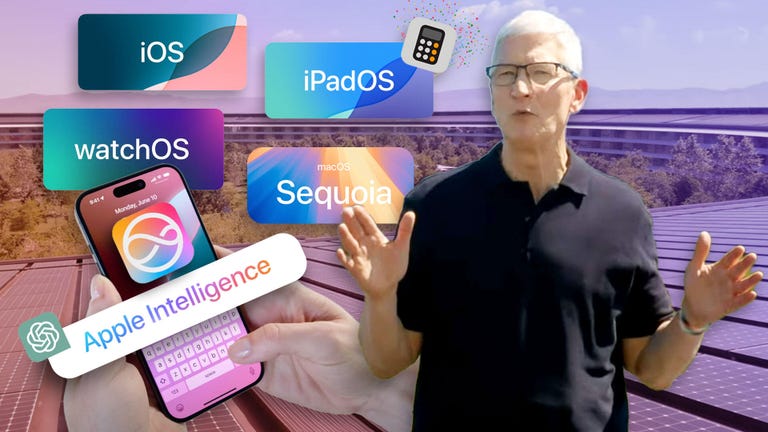
Look at this: Everything announced at Apple’s WWDC 2024
#iOS #released #dont #iOS #features
Image Source : www.cnet.com